Chores & Allowance Bot
- 4.5
- Rating
- 100.00K
- Installs
- Free
- Price

 Analysis by App-foxy
Getting children to remember chores, understand allowances, and build a saving habit is rarely difficult because the family lacks good intentions. The harder part is keeping everyone aligned when routines change, a task is forgotten, or one parent assumes the other already handled it. Chores & Allowance Bot is designed for that everyday gap. I found it most useful as a shared family record rather than as a magical motivation machine: it gives chores and money a visible place, so fewer agreements stay trapped in someone’s memory.
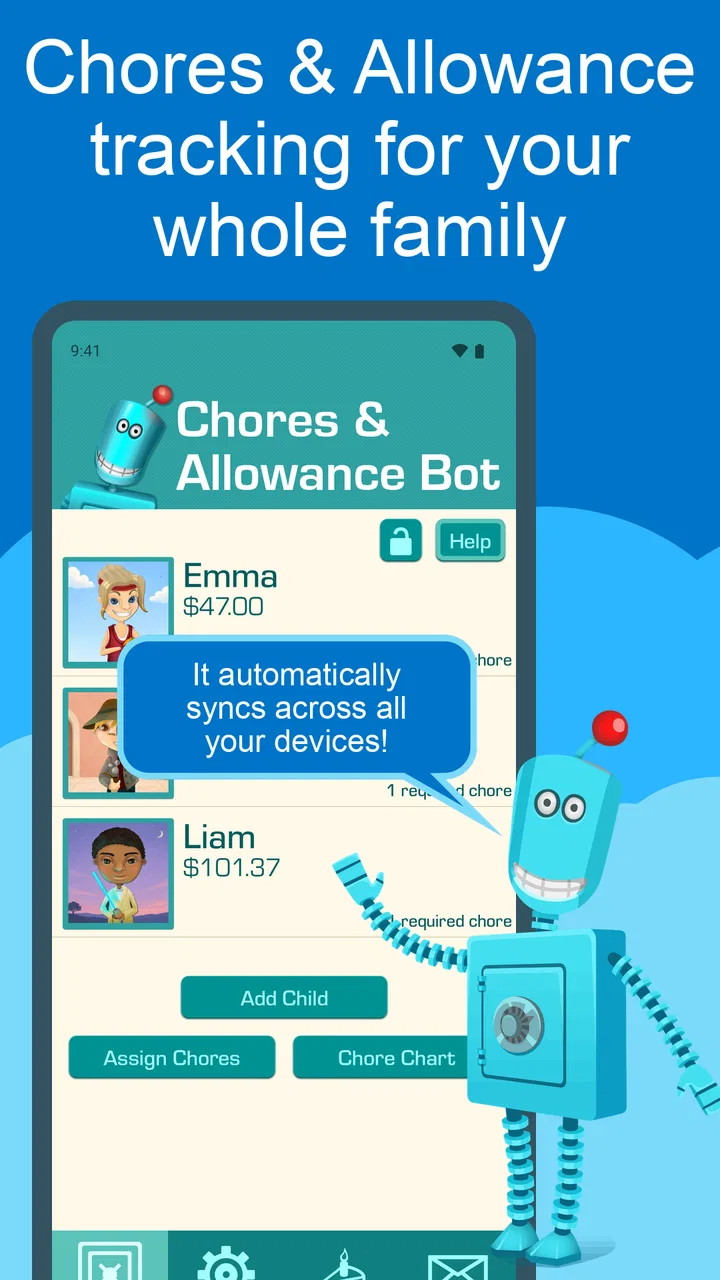
This is a free parenting app from Wingboat.com LLC, with an Everyone age rating. Its central idea is simple: connect household jobs with allowance tracking and savings goals in one place. That combination makes it more practical than a basic checklist when the family wants children to see not only what they need to do, but also how completed work relates to money they are managing.
The app has been available since September 5, 2016, and its current version is 4.9.91 with a minimum operating system requirement of 9. It has earned a 4.5 average from around 2.8 thousand ratings, while the wider install count has passed 100 thousand. Those figures suggest a reasonably established tool, but they do not remove the need to set it up carefully. In my experience, the value comes from agreeing on the family rules first and then using the app to record them consistently.
You May Also Like

 Blood Strike: 2.5 Anniversary
Blood Strike’s Loadouts Turn Every Drop Into a Tactical Gamble
A close look at Blood Strike’s custom loadouts: how fast access to signature weapons reshapes its battle royale rhythm, rewards preparation, and narrows the gap between fights.

 Pandora - Music & Podcasts
Pandora’s Music Is Easy to Start, but Harder to Recover
Pandora’s strength is its low-effort path from a seed to a station. Its weak spot is how much confidence it asks you to place in connection, setup, and quiet recovery.

 8 Ball Pool
 Is Built on Rivalries, Rematches, and Routine
A close look at the rivalries, rematches, shared routines, and unanswered safety questions that turn a quick pool match into a persistent mobile community.

 Samsung Music
’s Quiet Strength Is Playing What You Already Own
Its reach comes less from spectacle than from dependable access to a personal library. That simplicity is both the app’s strongest retention engine and its ceiling.

 AccuWeather: Weather Radar
AccuWeather Review: A Quick, Clear Forecast for Everyday Decisions
For everyday plans, the best forecast is the one you can understand quickly. AccuWeather makes rain timing, radar, and local conditions easy to act on, with a few trade-offs.

 Hill Climb Racing
Why Hill Climb Racing Still Turns Crashes Into One More Run
A tiny car, a bumpy hill and one more upgrade: Hill Climb Racing keeps resurfacing because its simple chaos makes every near-miss feel personal.
More From Our News Desk



Where families usually get stuck
The first obstacle is not usually tapping the wrong button. It is deciding what counts as a completed chore. “Clean your room” sounds clear to an adult, but it can mean putting clothes away to one child and vacuuming the floor to another. If the app is filled with vague tasks, disagreements simply move from the kitchen to the screen. I recommend writing chores in observable terms, such as putting laundry in the basket or feeding the pet before school.
A second source of friction is mixing routine jobs with occasional jobs. A daily responsibility and a once-a-month deep clean should not feel identical. If everything is presented with the same urgency, children may stop paying attention. I would begin with a small set of repeatable responsibilities and add special tasks only after the basic routine feels stable.
The allowance side needs the same care. Families often have different ideas about whether every chore earns money, whether some work is simply part of living together, and whether savings are automatic or voluntary. Chores & Allowance Bot can help record the arrangement, but it cannot settle the arrangement for you. A child who expects payment for every action will still be frustrated if the parents never explained the exceptions.
Another common sticking point is shared use. A family tracker only works when the people involved look at the same information and update it in a predictable way. If one parent records completed work while another keeps a separate paper list, the app becomes an incomplete account. I found that a short weekly check is more useful than constantly correcting entries during a busy morning.
There is also a difference between tracking and motivating. Seeing a task marked complete can provide structure, especially for children who like clear progress. It will not automatically make an unwilling child enthusiastic about washing dishes. The strongest results come when the app supports a conversation, a reasonable expectation, and a consistent follow-through at home.
Set the family rules before entering tasks
Before adding anything, I would decide three things together: which jobs belong to each child, when they are considered complete, and how allowance is calculated. Keep the first version deliberately small. A child who has five dependable responsibilities is easier to guide than one facing a crowded list that includes every possible household contribution.
Use wording that describes an action and its finish line. “Put clean dishes in the cupboard” is easier to verify than “help in the kitchen.” This is more than a writing tip. Clear wording reduces the temptation to argue about standards after the work is supposedly done, which is where many chore systems lose momentum.
It is also worth separating family contributions from paid extras. A child can have ordinary responsibilities that are expected without payment, alongside optional jobs that earn an allowance. That distinction teaches a useful lesson: not every helpful action is a transaction. The app is better used as a record of your chosen system than as a substitute for explaining it.
Setup checks that prevent avoidable confusion
When I set up a shared tracker, I first check that each person is represented correctly and that names are easy to distinguish. This matters in families with several children, especially when tasks look similar. I then review the schedule and allowance details from the child’s point of view. If the list makes sense only to the parent who created it, the setup is not finished.
After entering a few chores, I would test the complete path with one ordinary task. Look at where the child sees the responsibility, how completion is recorded, and where the allowance or savings information appears afterward. This small rehearsal exposes confusing labels or missing expectations before the family depends on the system for a full week.
Do not start by importing every household duty. A useful setup is not necessarily a detailed setup. Begin with the jobs that cause the most repeated reminders. If the morning problem is feeding a pet, packing a school bag, or clearing breakfast dishes, handle that first. Once the routine is working, add less frequent tasks one at a time.
The free price makes experimenting easier, although in-app purchases are listed at $39.99 per item. I would avoid assuming that paying will solve a setup problem. First decide whether the basic workflow fits your family. If you later consider an in-app purchase, do so because you understand what you need from the app, not because the initial list feels untidy.
Because the app requires operating system 9 or newer, an older device may be the first thing to check if installation or updating fails. That is a simple compatibility check, but it is easy to overlook when a family phone or tablet has not been updated for a long time. I would also make sure the device has enough free space and a dependable connection during installation, since general device conditions can look like an app fault.
A realistic week with the tracker
Imagine a household with two children. On Monday, one child is responsible for feeding the dog and putting away clean dishes, while the other handles recycling and a bedroom reset. The parents agree that these are expected jobs, then add a separate optional task for washing the car. The children can see the difference between routine contribution and extra earning, and the parents have one shared place to review what happened.
By Wednesday, the younger child says the dog was fed, but the parent cannot remember whether it happened before school. Instead of turning the discussion into a memory contest, the family checks the record and talks about what should happen next time. Perhaps the task needs to be done at a more visible point in the morning, or perhaps the child needs a reminder outside the app. The tracker reveals the gap; the family still chooses the remedy.
At the end of the week, the children review their allowance and savings progress. This is where the savings function can become more meaningful than a simple total. A parent can ask what the child is saving for, whether the goal is realistic, and whether an optional job is worth the extra effort. The conversation turns a completed chore into a small lesson about delayed spending.
One practical tip is to schedule a fixed review rather than checking every entry repeatedly. A weekly review gives the child room to take responsibility and gives the parent a natural time to correct misunderstandings. Constant surveillance can make the system feel like a punishment, while no review makes the record irrelevant.
Recovering when the workflow breaks
Missed entries are inevitable. The important question is whether the family can recover without rebuilding the whole system. If a chore was completed but not recorded, I would first establish one correction rule: update it at the next family check, rather than arguing in the moment. This keeps a forgotten tap from becoming a larger conflict.
If a child marks work complete too early, avoid deleting the entire routine or abandoning the app immediately. Ask what “done” meant to the child, compare that with the family’s agreed standard, and rewrite the chore if the wording allowed multiple interpretations. Often the problem is not dishonesty; it is an instruction that was too broad.
When the allowance total looks wrong, trace the process in order. Check the chore assignment, the completion record, and the allowance rule you agreed on. Looking at one step at a time is more productive than changing several settings at once. It also teaches children that money records should be checked carefully rather than accepted or rejected based on a quick glance.
If one person stops using the app, reduce the system to the smallest workable routine. Keep the highest-value chores, hold the weekly review, and remove tasks that create noise. A tracker should adapt to the family’s real attention span. A short, maintained list is stronger than an impressive list that nobody updates.
When the app is not the cause
Not every failed chore routine is a technical problem. Children may ignore a task because it is too difficult, because the timing clashes with school or activities, or because the consequence for skipping it is unclear. No tracker can compensate for an unrealistic workload. If a responsibility repeatedly fails, I would change the task or its timing before blaming the app.
Device access can be another explanation. A child who does not regularly have the phone or tablet may not be able to check or record responsibilities independently. In that situation, the app can still serve as a parent-managed record, but it will not function as a self-service reminder for the child. A visible household note or spoken routine may work better alongside it.
Family disagreement is also outside the app’s control. If two adults use different allowance rules, the displayed record may be accurate while the result still feels unfair. Agree on the policy privately, then present one clear version to the children. The app should make the policy visible, not expose unresolved negotiations every time a chore is completed.
For families that want automatic device limits, detailed behavioral charts, or a broad family calendar, a dedicated tool in one of those categories may be a better match. Chores & Allowance Bot is more focused on the link between responsibilities, allowance, and saving. I would choose a general task manager for a household that only needs reminders, and a budgeting tool for adults who need sophisticated financial planning. This app makes sense when children’s work and money habits belong in the same conversation.
Who will benefit most from it?
I think it suits parents who are tired of repeating the same requests and want a shared record that children can understand. It is especially promising for families beginning to connect household responsibilities with basic money lessons. The Everyone rating also makes the intended audience broad, although younger children may still need an adult to explain the entries and help them use the device.
It is less suitable for a family that does not want to attach money to chores at all. You can still use a chore tracker conceptually, but the allowance and savings focus is part of what gives this app its identity. It may also disappoint parents expecting a fully automated parenting system that independently enforces behavior. The app organizes agreements; it does not replace supervision, encouragement, or consequences.
Older children who already manage detailed budgets may find the money side too narrow for their needs. Conversely, very young children may respond better to a physical chart they can touch and move. In both cases, the deciding factor is not the app’s popularity but whether the child can participate in the chosen workflow without constant adult intervention.
My practical verdict
After looking at the app as a real household tool, I see its main strength in combining three things that are often separated: chores, allowance, and saving. That combination gives parents a way to move from “Did you do it?” to “What did you complete, what did you earn, and what are you choosing to save?” It is a modest but useful shift in how children can understand responsibility.
The trade-off is that the family must do thoughtful setup work. Vague chores, inconsistent rules, and missing reviews will weaken the experience no matter how tidy the interface may be. My best advice is to start with a few clearly worded tasks, test one complete cycle, and hold a calm weekly review. If the system becomes burdensome, simplify it rather than adding more reminders.
For a free parenting app with a shared chore and allowance focus, Chores & Allowance Bot is worth trying when your household needs one visible routine instead of scattered notes and repeated verbal requests. I would recommend it to families ready to agree on expectations and involve children in the money conversation. I would skip it if you only want a basic checklist, need advanced budgeting, or are hoping an app will create motivation without adult follow-through.
My final view is positive but practical: the app works best as a family agreement made visible. Used that way, it can reduce forgotten responsibilities and give savings discussions a concrete starting point. Used as a replacement for clear rules or communication, it will feel much less effective. The free entry point makes a careful trial sensible, and the result will depend more on the routine you build around it than on how many chores you manage to enter.
FAQs for Chores & Allowance Bot
01What is Chores & Allowance Bot and how does it work?
Chores & Allowance Bot is a family-oriented app designed to help parents manage household chores and track allowances for their children. It allows parents to assign tasks, set deadlines, and reward kids with points or money upon completion. The app provides an interactive platform for children to learn responsibility while making chores fun and engaging.
02Is Chores & Allowance Bot suitable for children of all ages?
Yes, Chores & Allowance Bot is designed to be user-friendly and adaptable for children of various ages. Parents can customize tasks and rewards based on their child’s age and capabilities. The app’s interface is intuitive enough for younger users, while offering more complex features for older kids who can handle more responsibility.
03Can I sync Chores & Allowance Bot across multiple devices?
Absolutely! Chores & Allowance Bot supports multi-device syncing, allowing all family members to stay updated on tasks and allowances in real-time. This feature ensures that any changes made on one device, such as completing a chore or updating an allowance, are reflected across all connected devices.
04Are there any costs associated with using Chores & Allowance Bot?
Chores & Allowance Bot offers a free version with basic features, but there are optional in-app purchases and subscription plans that unlock premium features. These may include advanced task management tools, detailed reporting, and additional customization options, providing a more comprehensive experience for managing household chores and allowances.
05How secure is my family’s data on Chores & Allowance Bot?
The developers of Chores & Allowance Bot prioritize user privacy and security. The app employs robust encryption methods to protect your data. Additionally, it adheres to industry standards for data protection, ensuring that all personal and financial information is kept secure and private, making it a safe choice for families.
Pros
- Simple and intuitive user interface.
- Customizable chore and allowance settings.
- Real-time progress tracking for kids.
- Parental control over chore assignments.
- Encourages financial literacy in children.
Cons
- Limited features in free version.
- No offline functionality available.
- Occasional sync issues reported.
- Limited integration with smart home devices.
- Requires regular updates for bug fixes.

Chores & Allowance Bot
Gallery